WebAssembly - Part 2: LLVM
A brief introduction
Following the previous post on WebAssembly, this article introduces the relationship between LLVM and WebAssembly, and walks through experiments compiling Rust and C to WebAssembly using Emscripten.
WebAssembly, LLVM, and Emscripten
LLVM
LLVM is a compiler framework—in short, a framework for building compilers for programming languages. It provides powerful tools for both the front end (parser, lexer) and the back end (lowering LLVM intermediate code to machine code), for new or existing languages.
Many popular languages are built on LLVM. It is the engine behind the Clang compiler (Apple’s C/C++/Objective-C compiler) and compilers for newer languages such as Rust and Swift. You could list languages from A to X that target LLVM; a notable exception is Go, which does not use LLVM—though Google is also working on an LLVM-based Go compiler.
The LLVM site includes a tutorial that builds a small language called Kaleidoscope. If you prefer, see also Writing Your Own Toy Compiler Using Flex, Bison and LLVM. Who knows—maybe someday, alongside Go, we will have a “made in Vietnam” language called SweetPotato or MorningGlory :))).
LLVM, WebAssembly, and Emscripten
So far the connection between LLVM and WebAssembly may still feel vague—how do the two actually fit together? To spell it out, we need to revisit compiler front ends and back ends.
- The front end mainly covers three stages: lexical analysis, syntax analysis, and semantic analysis. Roughly: the lexer turns characters into tokens; the parser builds an AST (abstract syntax tree); semantic analysis then checks additional rules such as types.
- The back end is responsible for generating machine code for specific CPU architectures.
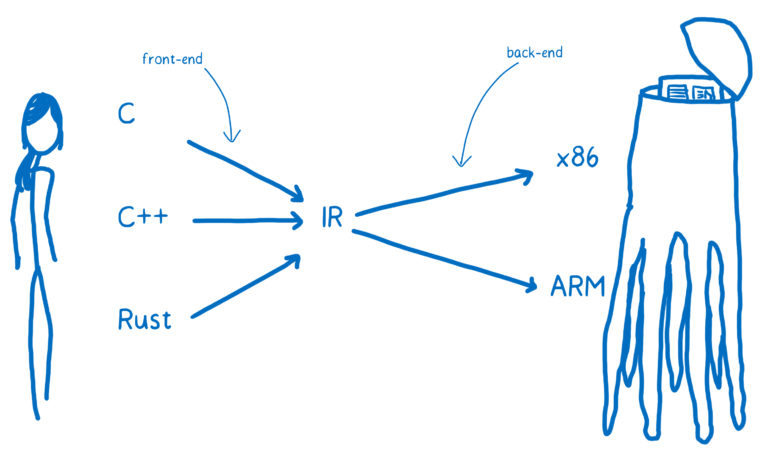
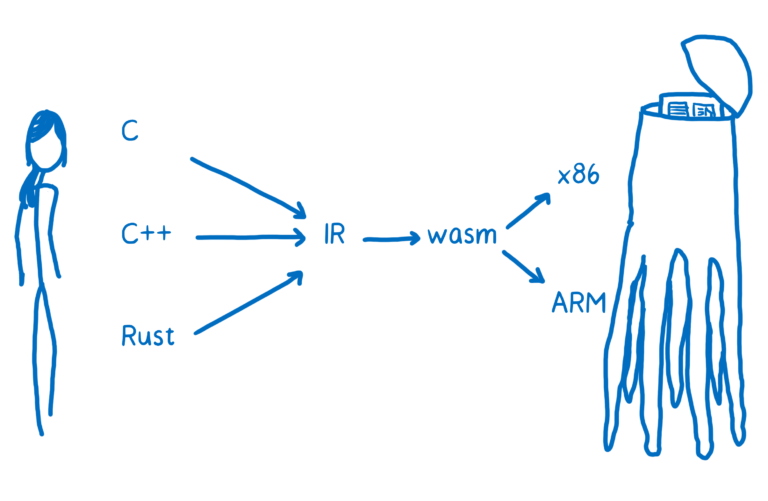
Suppose we want to compile C to WebAssembly. We can use the Clang front end to lower C source to LLVM IR (intermediate representation). Once code is in LLVM IR, LLVM runs several optimization passes. To turn that IR into WebAssembly (.wasm), we need a back end. There was no official WebAssembly back end in LLVM for a long time; it has been developed as an ongoing LLVM project.
Until that official back end was widely usable, practical options included Emscripten and PNaCl. This post focuses on Emscripten (whichever tool you use, the goal is still to produce a .wasm file).
Put simply, Emscripten is an LLVM-to-JavaScript compiler. To emit WebAssembly, it lowers LLVM IR to asm.js (a subset of JavaScript) and then converts that to WebAssembly.
Compiling Rust to WASM
1. Install Rust
The recommended way to install Rust is rustup—the official Rust installer.
curl https://sh.rustup.rs -sSf | shAfter installing rustup, install the stable toolchain and the wasm32-unknown-emscripten target:
rustup install stable
rustup default stable
rustup target add wasm32-unknown-emscripten
2. Install the portable Emscripten SDK
Clone emscripten-sdk, then run the commands below to install and set up your environment. (See the full install guide here.)
# Download and install the latest SDK tools.
./emsdk install latest

# Make the "latest" SDK "active" for the current user. (writes ~/.emscripten file)
./emsdk activate latest

source ./emsdk_env.sh
Then check the emcc version:
emcc -vFor example, compile a minimal Rust program:
fn main() {
    println!("Hello World!");
}
Run rustc to compile hello.rs into a bundle with three artifacts: .wasm, a .js loader, and an .html file:
rustc --target=wasm32-unknown-emscripten hello.rs -o hello.htmlTo open hello.html, you need a simple HTTP server—for example Python’s built-in server:
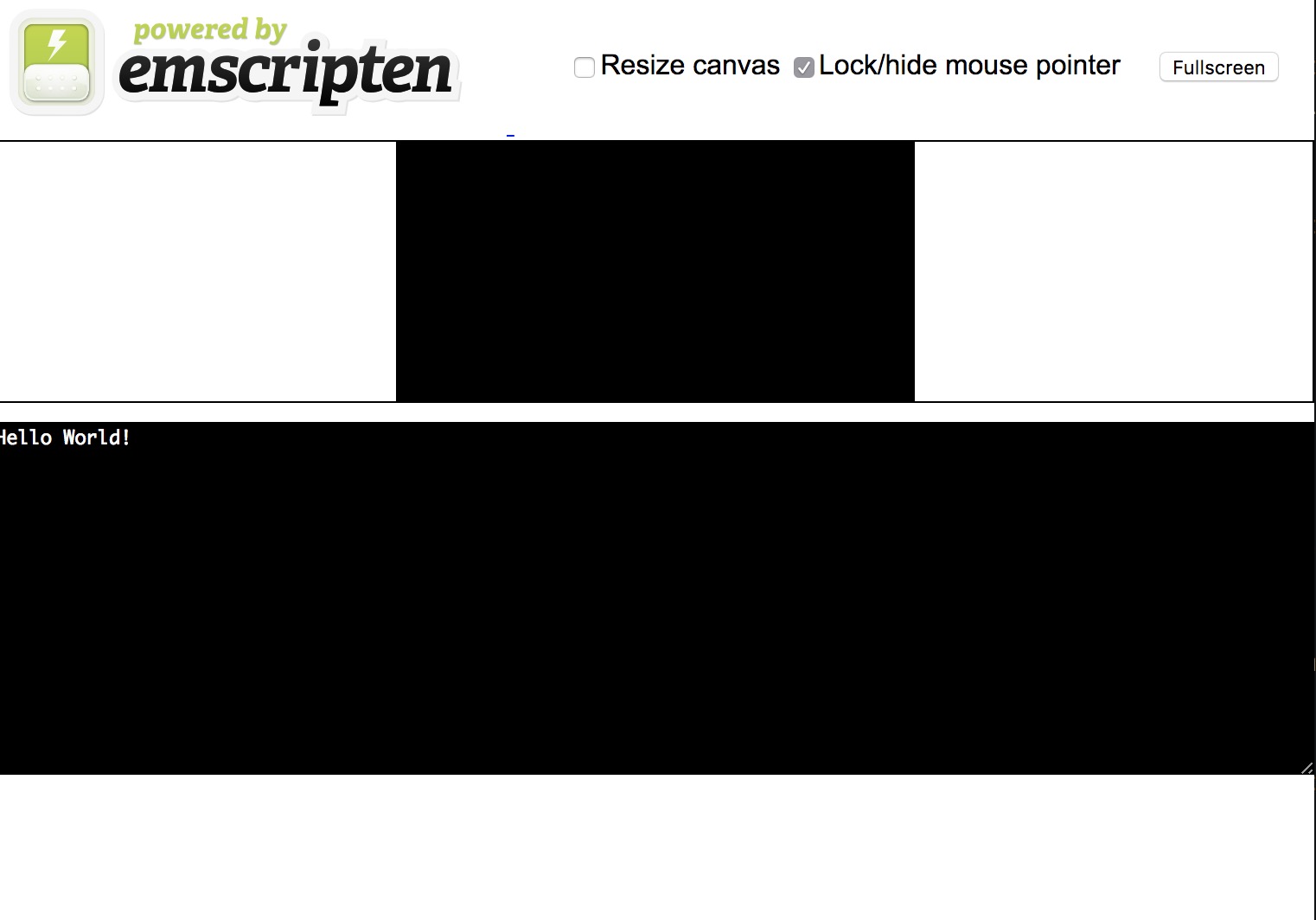
python -m http.serverVisit http://localhost:8000/hello.html and you will see a very plain “powered by Emscripten” page like this:
The next example shows how to call functions exported from .wasm.
Compiling C to WASM
Suppose we have add.c:
int add(int a, int b) {
  return a + b;
}
Compile C to WASM with:
emcc -s "EXTRA_EXPORTED_RUNTIME_METHODS=['cwrap']" -s EXPORTED_FUNCTIONS="['_add']" -s WASM=1 -o add.js add.cThose flags hide a bit of “magic”: without EXTRA_EXPORTED_RUNTIME_METHODS and EXPORTED_FUNCTIONS, you cannot easily call add from JS, and Emscripten prefixes C function names with an underscore (so you export _add, not add).
You can then call add from JavaScript via Module.cwrap. cwrap takes three arguments: the exported C function name, the return type, and an array of parameter types.
<html>
<head>
  <script src="add.js"></script>
  <script>
      Module.onRuntimeInitialized = _ => {
        const add = Module.cwrap('add', 'number', ['number', 'number']);
        console.log(add(89, 29))
      }
  </script>
</head>
<body>

</body>
</html>
With Module.cwrap, you can use the add function defined in add.c from JavaScript. It is a tiny demo, but it shows how you can bring code from other languages into the browser.
— To be continued —
References
Official docs and articles that line up with the LLVM → IR → WebAssembly / Emscripten path in this post:
-
LLVM Language Reference — Definition of LLVM IR, the intermediate form Clang (and other front ends) emit before code generation.
-
Emscripten — Project home; documentation for
emcc, the SDK (emsdk), and compiling C/C++ to WebAssembly and JavaScript glue. -
Announcing Rust 1.14 — Release notes that introduced the
wasm32-unknown-emscriptentarget used withrustcin the examples above. -
WebAssembly Concepts — MDN overview of modules, linear memory, and tables in the browser.
-
Creating and working with WebAssembly modules — Mozilla Hacks guide to fetching, instantiating, and calling WebAssembly from JavaScript (complements the
Module.cwrapdemo). -
The Rust and WebAssembly Book — Modern Rust + WASM workflow using the
wasm32-unknown-unknowntarget andwasm-bindgen(no Emscripten); useful if you move beyond the Emscripten-based setup described here.